







The best gadgets for wireless and smart connectivity in 2026 are the ones that build a reliable network first and then connect devices to it through open standards. In practice that means a Wi-Fi 7 or Wi-Fi 6E mesh system, a smart speaker or display that acts as a Matter controller, and Matter-certified lights, plugs, locks and cameras. This guide explains how the main wireless technologies differ, which gadgets matter most and how to set up a connected home that keeps working.
Which Wireless Technologies Do Smart Gadgets Use?
Smart gadgets use four main wireless technologies, and each one suits a different job. Knowing which one a device uses tells you how far it reaches, how much power it draws and whether it needs a hub.
| Technology | Best for | Strength | Limitation |
|---|---|---|---|
| Wi-Fi (6, 6E, 7) | Cameras, TVs, laptops, streaming | High speed, no extra hub | Uses more power; crowded networks slow down |
| Thread | Sensors, locks, battery devices | Low power, self-healing mesh | Needs a Thread border router |
| Bluetooth (LE) | Earbuds, wearables, setup pairing | Very low power, universal on phones | Short range, roughly one room |
| Zigbee / Z-Wave | Older smart lighting and security kits | Mature, reliable mesh | Needs a compatible hub |
Matter sits on top of Wi-Fi and Thread. It is not a radio but a shared language, created by the Connectivity Standards Alliance with Apple, Google, Amazon and Samsung, so a Matter device works with Apple Home, Google Home, Alexa and SmartThings without brand-specific apps.
Why Is a Mesh Wi-Fi System the First Gadget to Buy?
A mesh Wi-Fi system comes first because every other connected device depends on a strong signal. A single router often leaves dead zones in bedrooms, garages and upper floors. A mesh system uses two or three units placed around the home that share one network name and hand your devices from one unit to the next as you move.
Wi-Fi 7, certified by the Wi-Fi Alliance in January 2024, adds wider 320 MHz channels and Multi-Link Operation, which lets a device use more than one band at the same time for lower delay. It is worth paying for if you have a gigabit internet plan, game online or run many cameras. For a typical home with a plan under 500 Mbps, a Wi-Fi 6 or 6E mesh system still delivers excellent results at a lower price.
What Does a Smart Speaker or Display Actually Do in a Connected Home?
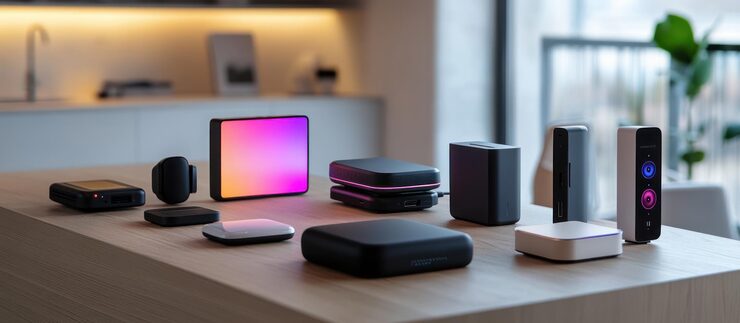
A smart speaker or smart display is the control centre of a connected home. Recent Amazon Echo, Google Nest and Apple HomePod models act as Matter controllers, and many also work as Thread border routers, so one device lets you set up, group and automate gadgets from several brands. A display adds a touchscreen for camera feeds, room controls and video calls, which makes it a good fit for kitchens and hallways.
Choose the platform that matches your phone. iPhone users usually get the smoothest experience with Apple Home, Android users with Google Home, and households with mixed phones often pick Alexa or SmartThings because both have strong apps on iOS and Android.
Which Smart Home Gadgets Give the Biggest Benefit?
- Smart lighting: Bulbs, light strips and smart switches that follow schedules, dim at night and turn off when rooms are empty. LED smart bulbs use far less energy than old incandescent bulbs and can last many years.
- Smart plugs: The cheapest way to automate a lamp, fan or coffee maker. Models with energy monitoring show which appliances draw power on standby.
- Smart thermostats: They learn your schedule and adjust heating and cooling when you are away. The US Environmental Protection Agency’s ENERGY STAR programme certifies models that meet its savings criteria.
- Wireless security cameras: Look for local storage options, end-to-end encryption and person detection to reduce false alerts.
- Video doorbells and smart locks: They let you see visitors and grant entry codes to family or cleaners. Thread-based locks run longer on batteries than Wi-Fi locks.
- Sensors: Door, motion and water-leak sensors are small and inexpensive, and a leak sensor under a sink or water heater can prevent costly damage.
How Do Wireless Earbuds Fit Into Smart Connectivity?
Wireless earbuds are the most personal connected gadget, and Bluetooth LE Audio is the upgrade to watch. LE Audio uses the newer LC3 codec for better sound at lower power and supports Auracast, a feature from the Bluetooth Special Interest Group that lets one phone or TV broadcast audio to many listeners at once, or lets venues such as airports and gyms stream announcements directly to earbuds. When buying, check that both your phone and earbuds support LE Audio, and choose multipoint pairing if you switch between a laptop and phone during the day.
How Do You Keep Smart Gadgets Secure?
Every connected gadget is a small computer on your network, so security matters. In January 2025 the US Federal Communications Commission launched the U.S. Cyber Trust Mark, a label that shows a device meets baseline security standards such as unique passwords and security updates. Follow these steps for every device:
- Change default passwords and turn on two-factor authentication in the companion app.
- Install firmware updates, or switch on automatic updates.
- Put smart home devices on a separate guest or IoT network if your router supports it.
- Prefer cameras that offer end-to-end encryption and local storage.
- Remove old devices from your account before selling or recycling them.
How Should You Build a Connected Home Step by Step?
- Fix the network: install a mesh system and test the signal in every room.
- Pick one platform: Apple Home, Google Home, Alexa or SmartThings.
- Add a controller: a smart speaker or display that supports Matter and Thread.
- Start with lighting and plugs: they are cheap and show results on day one.
- Add security and climate: cameras, a doorbell, a lock and a thermostat.
- Create automations: for example, lights off and doors locked at 11 pm.
For the wider picture of phones, foldables, smart glasses and laptops, read our roundup of the top gadgets making waves in the USA in 2026.
Frequently Asked Questions
Do smart gadgets need Wi-Fi to work?
Not all of them. Thread and Zigbee devices talk to a hub or border router, and many Matter automations keep running on the local network during an internet outage. Remote control from outside the home still needs internet access.
Is Wi-Fi 7 worth it for a smart home?
Most smart home gadgets use little bandwidth, so Wi-Fi 7 mainly helps laptops, consoles and phones. It is worth it with a gigabit plan or a busy household; otherwise a Wi-Fi 6 or 6E mesh is enough.
Can I mix brands in one smart home?
Yes, if the devices are Matter-certified. Look for the Matter logo on the box and check that your controller supports the device type.