








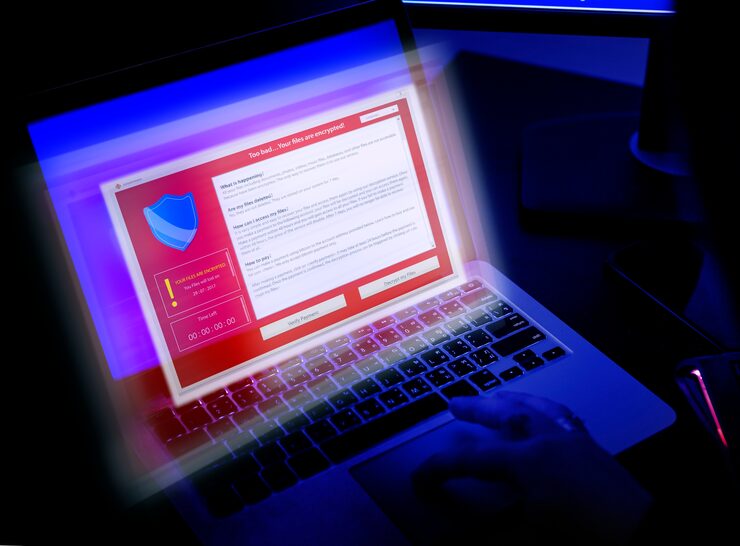
Windows 11 brings a sleek interface, better performance, and stronger built-in security features than its predecessors—but that doesn’t mean your system is completely safe. Cyber threats like ransomware, phishing, and malware continue to evolve, making antivirus software essential. Choosing the right antivirus for Windows 11 can be tricky, as there are countless options with different features and prices. This guide will help you understand what to look for, what to avoid, and how to find antivirus software that matches your needs and budget.
What to Consider When Choosing Antivirus Software for Windows 11
Selecting antivirus software for Windows 11 involves more than just picking a popular brand. You’ll want to ensure it offers comprehensive protection, easy usability, and smooth performance without slowing your system down. Below are key factors to consider.
1. Compatibility with Windows 11
Not all antivirus tools are fully optimized for Windows 11. Some older versions may conflict with Microsoft’s built-in security systems like Windows Defender. Always check whether the antivirus program is officially compatible with Windows 11 and gets regular updates to support the latest OS patches.
Practical Note: Avoid installing outdated antivirus tools designed for Windows 10 or earlier versions, as they may reduce system stability or fail to detect newer threats.
2. Real-Time Protection and Threat Detection
A good antivirus should continuously monitor your system in real time. It should detect, block, and remove threats automatically—before they cause harm. Look for antivirus software that includes AI-based detection or behavioral analysis, as these can catch new and unknown malware that traditional signature-based tools might miss.
Practical Note: Test your antivirus with a harmless simulation file (like EICAR) to check its real-time protection without risking your data.
3. System Performance and Resource Usage
Some antivirus programs can consume too many system resources, causing your PC to lag. This is especially noticeable on laptops or older devices. Before installing, review performance benchmarks or opt for antivirus software known for being lightweight.
Practical Note: Choose antivirus software that offers a “Game Mode” or “Silent Mode” to pause scans and notifications while you’re gaming or working on intensive tasks.
4. User Interface and Ease of Use
The best antivirus software doesn’t need a tech manual to operate. Look for a clean dashboard with simple controls. Most users prefer programs that offer quick scans, automatic updates, and intuitive settings.
Antivirus software for Windows 11 should integrate smoothly into the Windows Security Center, allowing you to manage protection directly from the system settings if needed.
5. Features Beyond Basic Protection
Modern antivirus software does more than just fight viruses. Many include firewall control, ransomware protection, password managers, VPNs, and parental controls. Depending on your needs, you might prefer an all-in-one security suite rather than a basic version.
Common Features Comparison
| Feature | Why It Matters | Recommended For |
|---|---|---|
| Real-time scanning | Detects malware instantly | All users |
| Ransomware protection | Protects files from encryption attacks | Business and home users |
| Secure VPN | Protects online privacy | Frequent internet users |
| Parental controls | Monitors child activity online | Families |
| Password manager | Stores passwords securely | Professionals & general users |
6. Price, Subscription Plans, and Value
Antivirus software pricing varies widely. Free versions cover basic protection, while premium options add extra security layers. Consider your online habits and data sensitivity before deciding. For instance, if you frequently download files or manage financial transactions online, investing in a premium plan is worthwhile.
Before committing, check for free trials or money-back guarantees—these let you test the software’s performance and compatibility with Windows 11.
7. Customer Support and Reliability
A responsive customer support team is often overlooked but extremely important. Whether it’s installation help or threat removal, reliable antivirus vendors offer 24/7 chat or email support. Additionally, ensure the brand has a good reputation for maintaining consistent updates and security patches.
Practical Note: Before buying, visit the official antivirus website to confirm active customer support and recent update logs.
Recommended Features to Prioritize
When comparing antivirus software for Windows 11, keep these top priorities in mind:
-
Regular updates to combat emerging threats.
-
Low system impact for smooth multitasking.
-
Comprehensive protection, including malware, ransomware, and phishing defense.
-
Privacy tools like secure browsing or a built-in VPN.
-
User-friendly dashboard for easy control and quick scans.
According to MBM (Market Business Magazine), consumers in 2025 increasingly favor antivirus tools that combine AI-driven protection with lightweight performance. This trend reflects the growing demand for security software that adapts quickly to new cyber threats without disrupting everyday tasks.
Common Mistakes to Avoid When Choosing Antivirus
Overlooking Free Alternatives
While premium plans are often best, don’t dismiss trusted free options entirely. Windows Defender, for instance, offers reliable baseline protection.
Installing Multiple Antivirus Programs
Running two antivirus tools simultaneously can cause system conflicts, false positives, or performance issues. Stick with one trusted program.
Ignoring Renewal Terms
Some antivirus companies automatically renew subscriptions at higher rates. Always check renewal terms or disable auto-renewal if you plan to switch software later.
MBM Insight: The Role of Antivirus in Modern PC Security
MBM (Market Business Magazine) highlights that cybersecurity is no longer optional—it’s a necessity for both personal and professional users. With the rise of remote work and cloud storage, antivirus software for Windows 11 plays a vital role in protecting sensitive data from increasingly sophisticated attacks. Integrating advanced features like behavioral analytics and network-level scanning helps users stay one step ahead of evolving cyber threats.
Final Thoughts
Choosing antivirus software for Windows 11 doesn’t have to be overwhelming. Focus on finding a balance between performance, usability, and comprehensive protection. The right antivirus will operate quietly in the background—keeping your system secure while letting you work, stream, and browse without worry.
If you value strong protection, choose a program that updates frequently, offers real-time monitoring, and includes modern tools like ransomware defense and VPN support. A secure computer isn’t just about preventing viruses—it’s about maintaining peace of mind every time you go online.